

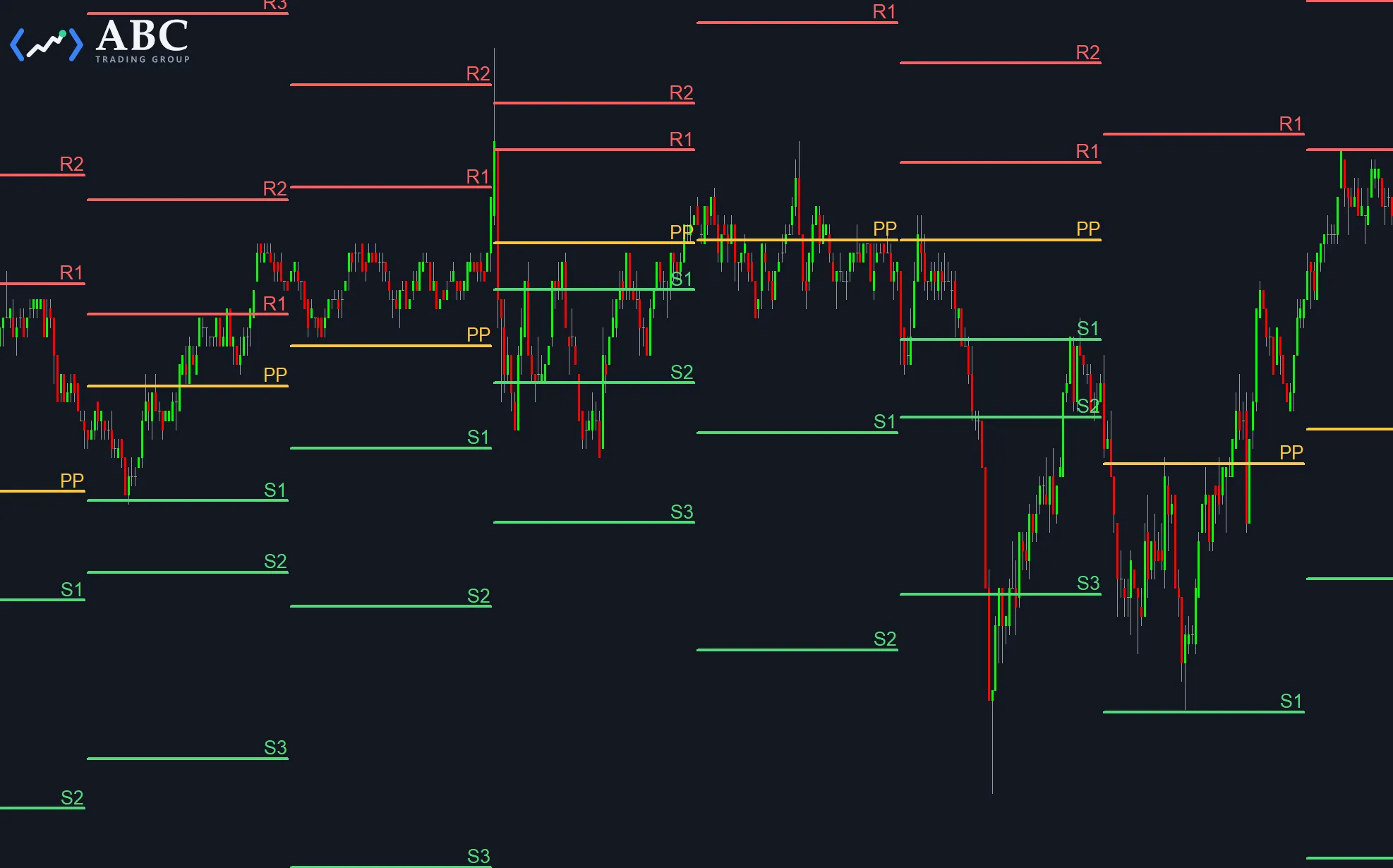
The Hourly Floor Trader Pivots study is a variation of our free Floor Trader Pivots study. Instead of computing one set of levels from the previous day’s market behavior, it starts a new bracket every hour and draws the pivot point (PP) together with three resistance levels (R1, R2, R3) and three support levels (S1, S2, S3) for it, based on the previous hour’s market behavior.
By default a new pivot set starts on the full hour, but you can shift the reset to any minute into the hour. Because an hourly reset produces far more trendlines and labels than a daily study, the study also comes with an input that limits how many past pivot sets are kept on the chart.
Inputs to customize the study
- MinutesIntoHour – specifies the minute into the hour when a new pivot set is started. With the default of 0 a new set starts on the full hour, while a setting of 30 would start it on the half hour.
- ForceNewBracketStart – forces the start of a new bracket in case the last reset was more than 60 minutes ago.
- PlaceTextRight – this input gives you the possibility to switch the trendline labels from the end of the trendline (if the input is true), to the beginning of the trendlines (if “PlaceTextRight” is false)
- ExtendToRight – if enabled, the most recent set of lines will be extended to the right
- TLSize – sets the trendline weight
- TLStyle – sets the trendline style: 1 = solid, 2 = dashed, 3 = dotted, and 4 or 5 for two additional dash patterns
- TextSize – sets the font size used for the text drawings
- FontName – sets the font to use for the text drawings
- LockDrawings – the “LockDrawings” input will lock the text and trendlines to the chart so you can’t move them by mistake. In case you want to move one line, you can unlock it specifically with a right click on the drawing and selecting “Unlock Drawing”.
- MaximumPivotSets – sets the maximum number of pivot sets to keep on the chart to improve performance. The default of 100 keeps the last 100 hourly sets, and a setting of 0 will keep all sets.
The remaining inputs (PivColor, R1Color through R3Color and S1Color through S3Color) set the colors used for the pivot, resistance and support texts and lines.