

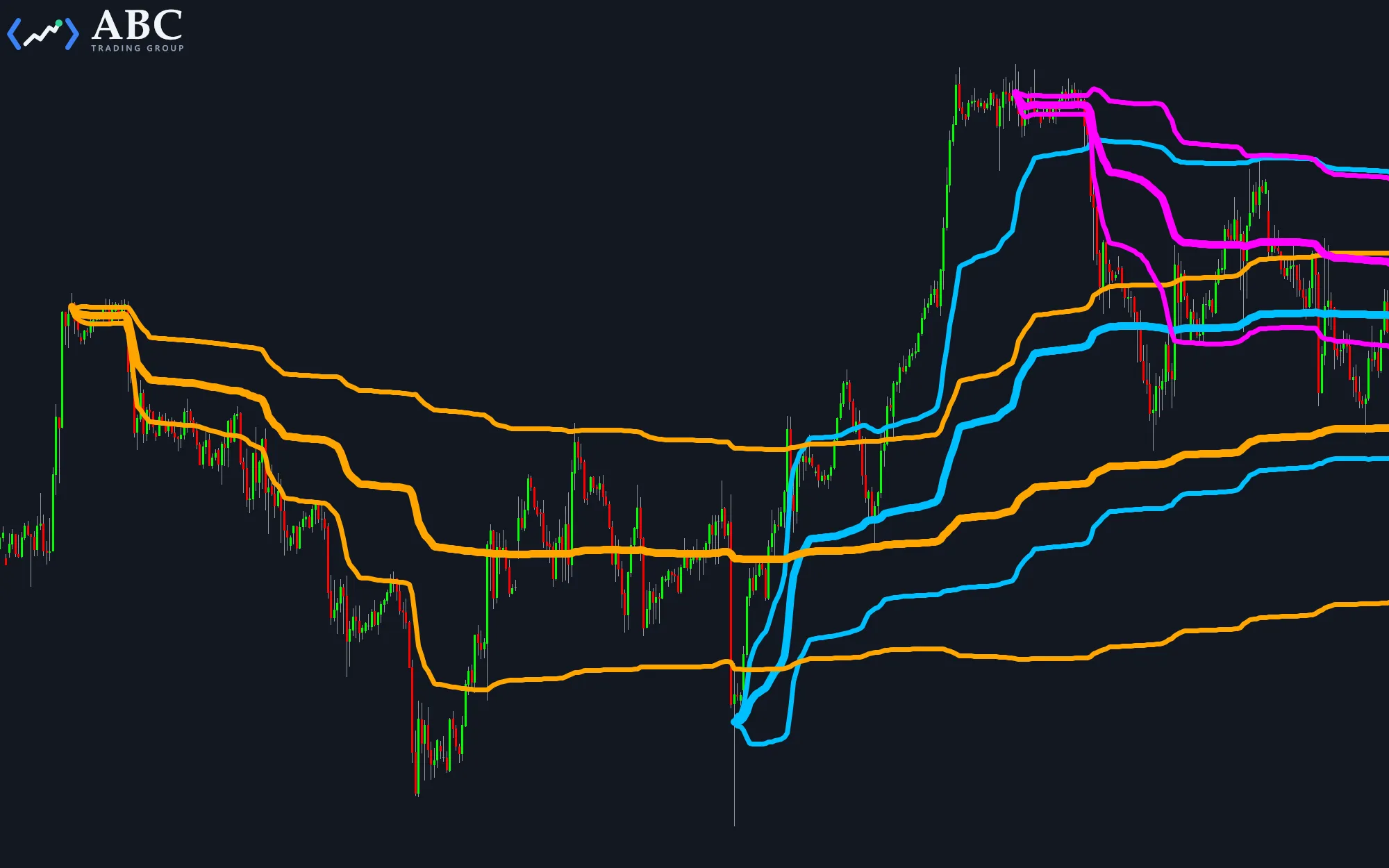
A regular VWAP (volume-weighted average price) restarts at every session open. An anchored VWAP starts at a bar you choose, such as a swing high, a breakout, or a news event, and averages the price from there, weighting each bar by its volume. This indicator draws up to three anchored VWAPs, each with optional standard-deviation bands, and lets you place the anchors by clicking.
Adding and removing anchors with mouse clicks
Hold a key and left-click a bar in the price subchart:
- Ctrl + click – Adds an anchor at the clicked bar.
- Shift + click on the first bar of a VWAP – Removes its anchor.
- Ctrl + Shift + click – Removes all anchors.
Anchors that survive restarts and sync across charts
The anchors are saved to a file, so they are still there after you restart MultiCharts. All charts of the same symbol root share one set of anchors, on every timeframe. With the default settings, other charts pick up a change within a few seconds.
To keep separate sets of anchors, for example for day trading and swing trading, give each group of charts its own ChartTag.
Inputs
- Price – The price of each bar that goes into the VWAP calculation.
- StdDevMultiplier – The distance of the band lines from the VWAP, in standard deviations.
- ChartTag – Gives a group of charts its own set of anchors.
- AnchorFolder – The folder where the anchors are saved.
- AnchorTooEarlyMsgSeconds – How long a chart shows a note when an anchor lies before its first loaded bar.
- SyncSeconds – How often a chart checks for anchor changes made on other charts.
The plot colors, line styles, and weights are set on the Style tab of the Format Study dialog. The PDF guide in the download describes every input in detail.